
Basic Settings
Overview
This page explains the basic settings of AITuberKit. For configuration using environment variables, please see Environment Variables.
Language Settings
Environment Variables:
# Default language setting (specify one of the following values)
# ja: Japanese, en: English, ko: Korean, zh: Traditional Chinese, vi: Vietnamese
# fr: French, es: Spanish, pt: Portuguese, de: German
# ru: Russian, it: Italian, ar: Arabic, hi: Hindi, pl: Polish
NEXT_PUBLIC_SELECT_LANGUAGE=en
AITuberKit supports multiple languages, and you can choose from the following:
- Arabic
- English
- French
- German
- Hindi
- Italian
- Japanese
- Korean
- Polish
- Portuguese
- Russian
- Spanish
- Thai
- Traditional Chinese
- Vietnamese
Note
If you select a language other than Japanese and have a Japanese-only voice service (VOICEVOX, KOEIROMAP, AivisSpeech, NijiVoice) selected, it will automatically switch to Google Text-to-Speech.
Background Image Settings
Environment Variables:
# Background image path
NEXT_PUBLIC_BACKGROUND_IMAGE_PATH=/bg-c.png
You can customize the application's background image. Click the "Change Background Image" button to upload your preferred image.
To make it persistent, save your desired image as public/bg-c.png.
You can also specify the file name using an environment variable.
Show Answer Box
You can set whether to display the AI's response text on the screen when the conversation history is not displayed.
Environment Variables:
# Answer box display setting (true/false)
NEXT_PUBLIC_SHOW_ASSISTANT_TEXT=true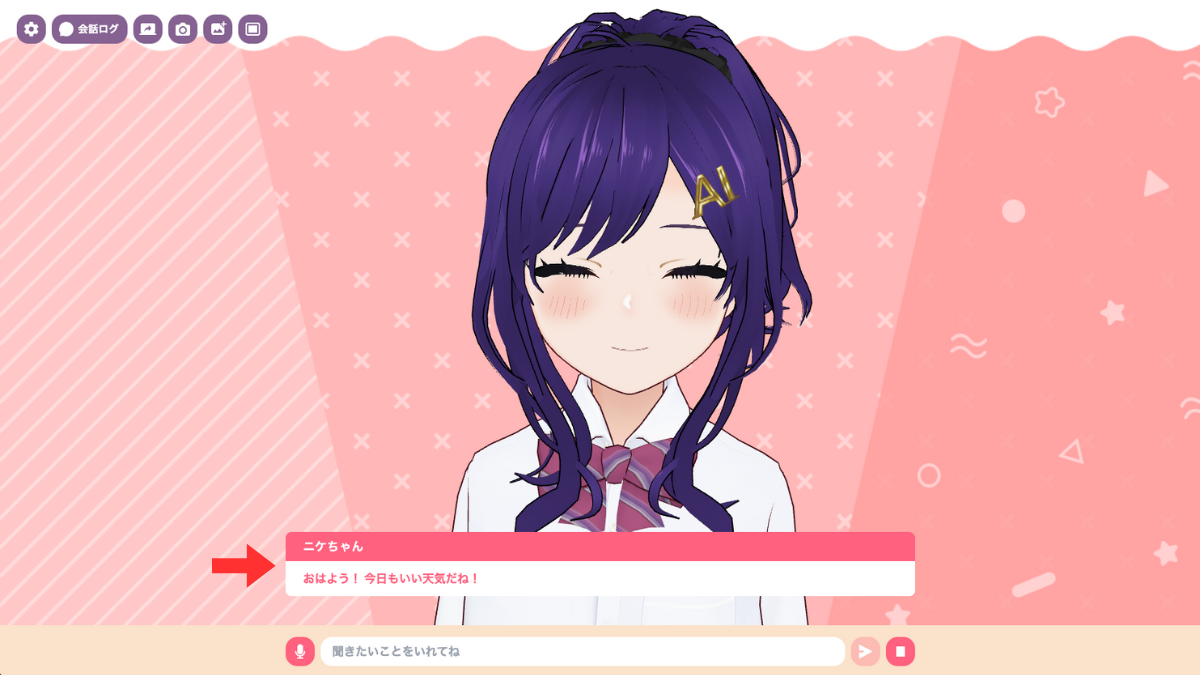
Show Character Name in Answer Box
You can set whether to display the character name in the answer box.
Environment Variables:
# Character name display setting (true/false)
NEXT_PUBLIC_SHOW_CHARACTER_NAME=true
Control Panel Display
You can set whether to display the control panel in the upper right corner of the screen.
Hint
The settings screen can also be displayed using the shortcut Cmd + . on Mac or Ctrl + . on Windows.
Environment Variables:
# Control panel display setting (true/false)
NEXT_PUBLIC_SHOW_CONTROL_PANEL=true